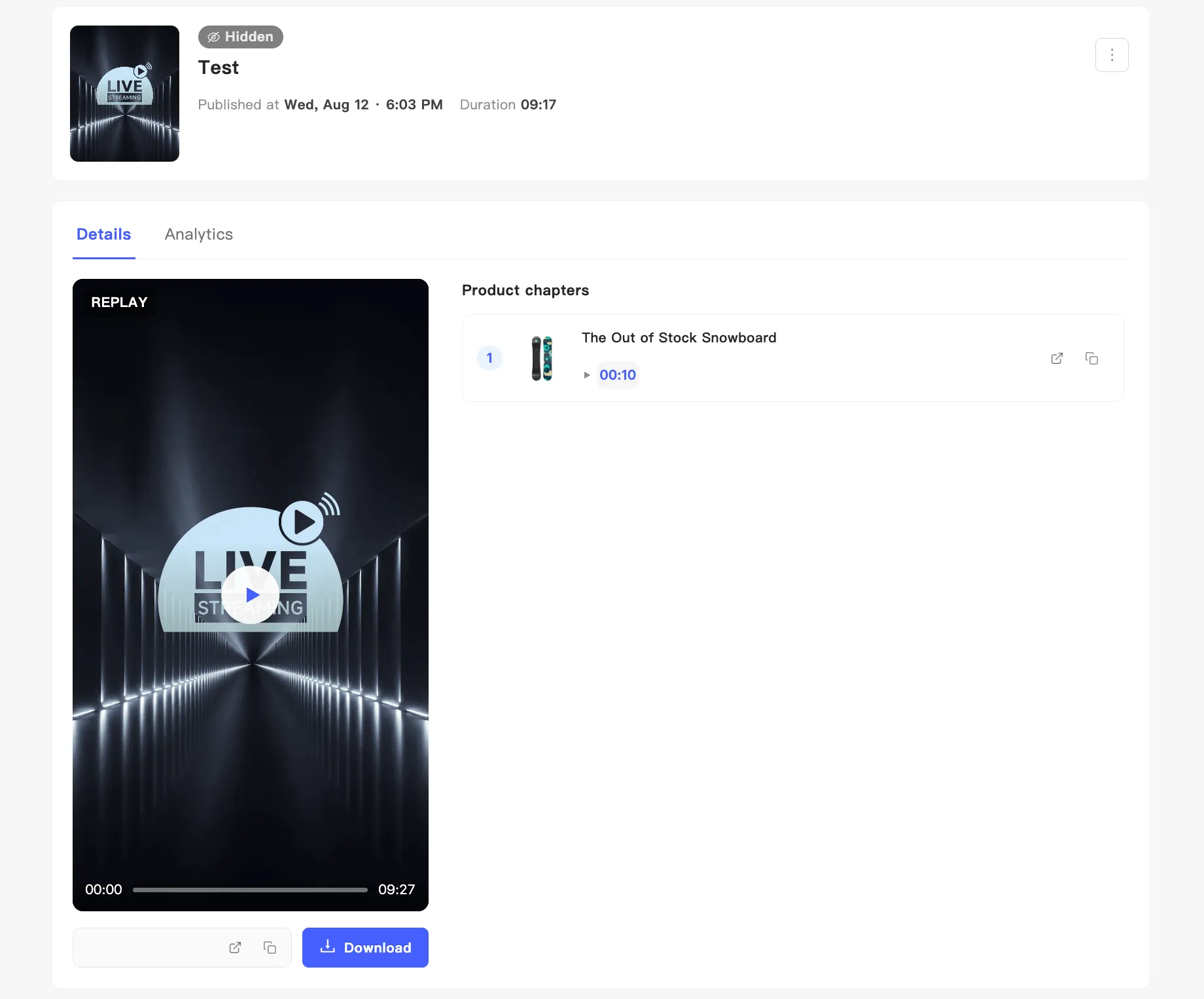
Product chapters
A broadcast covers a dozen products and nobody wants to watch the whole thing. Product chapters mark where each product was covered, so one click lands the viewer there.
Where chapters come from
Section titled “Where chapters come from”Every product you pushed from the product panel during the broadcast becomes a chapter in the replay. You mark nothing by hand.
Cover the same product twice and you get two chapters for it.
Send traffic with chapter links
Section titled “Send traffic with chapter links”The chapter list sits on the right of the replay detail page under Product chapters. Each entry shows its number, product image, product name, and start time. Two icons sit at the end of each row:
- The open icon opens the replay in a new tab at that moment.
- The copy icon copies a link that carries the timestamp.
Put that link anywhere: a product page, an email, a social post. Whoever opens it lands on the segment covering that product, with no scrubbing.