View and change the page URL
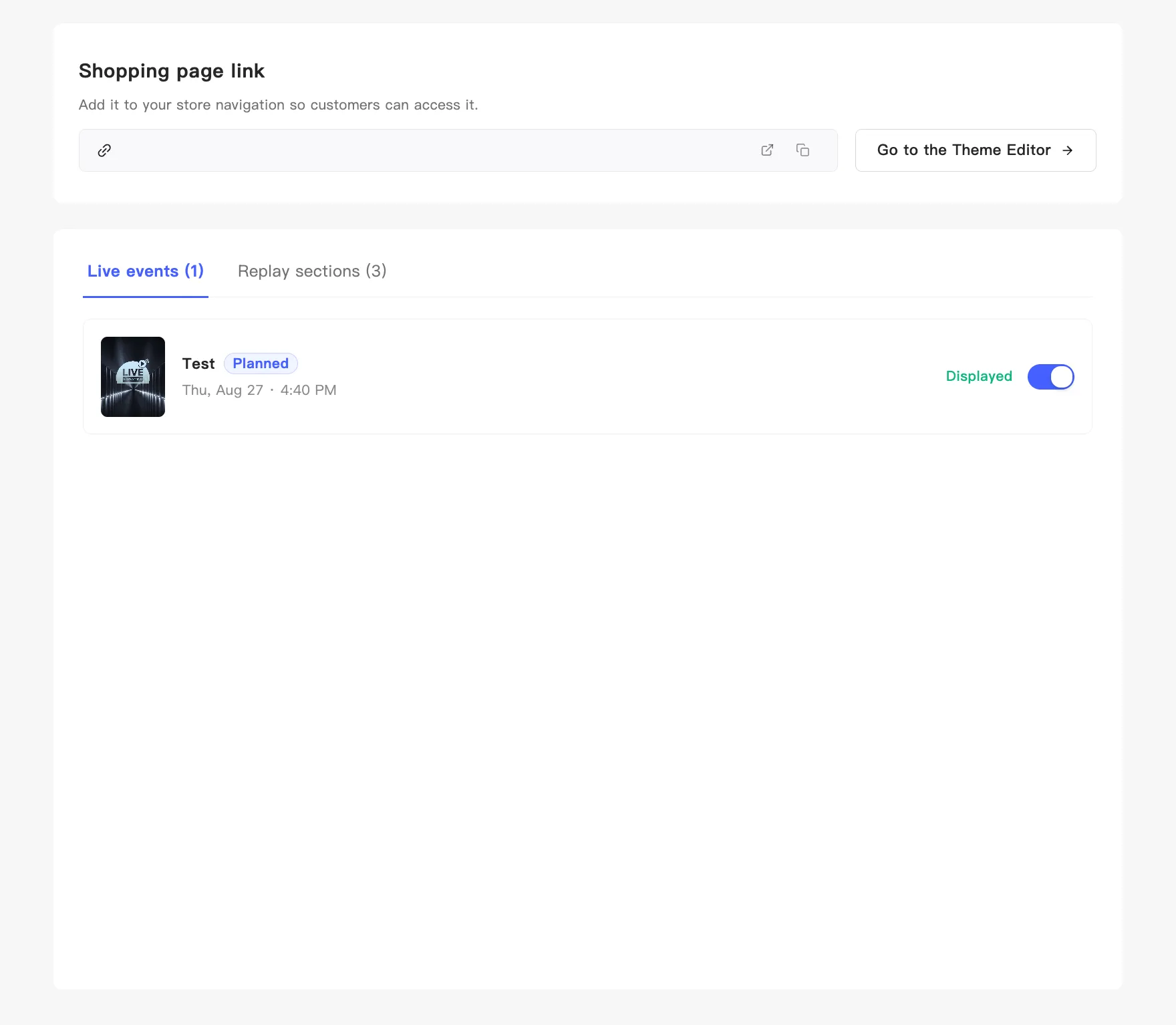
The page address sits in the Shopping page link block on the live shopping page admin, ready to read or copy. Changing it to something friendlier happens in your store admin.
View and copy
Section titled “View and copy”Open the live shopping page admin. Shopping page link at the top shows the full address, with two icons on the right:
- The arrow icon opens it in a new tab, so you see what customers see.
- The copy icon copies the address and confirms with Copied.
Further right, Go to the Theme Editor jumps straight into your theme to add the display components.
Change it to your own address
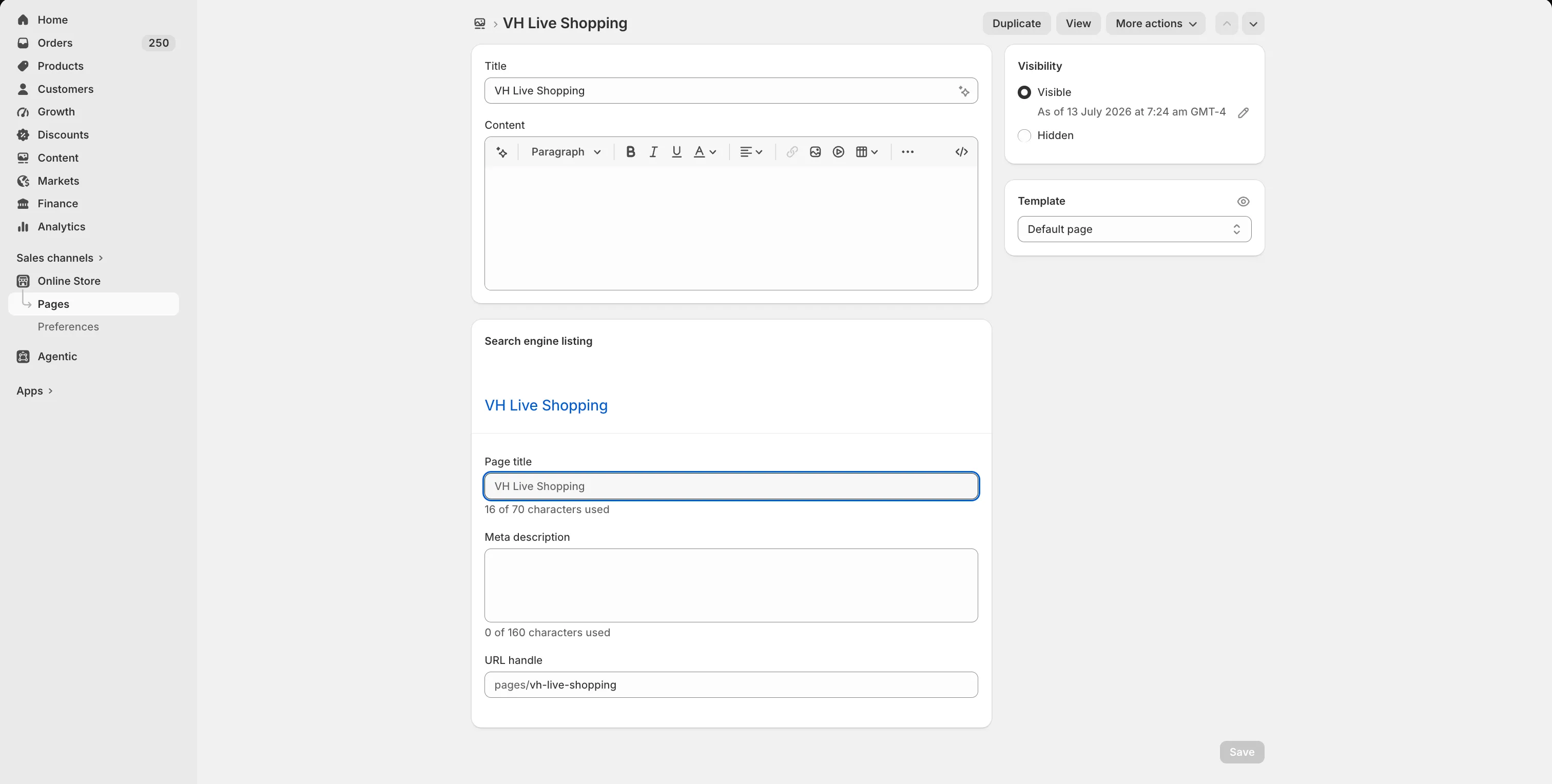
Section titled “Change it to your own address”The default looks like your-domain/pages/vh-live-shopping. This is an ordinary store page, so you change its address in your store admin. MaxxShow then shows the new one.
Shopify
Section titled “Shopify”- Go to your Shopify admin → Online Store → Pages → VH Live Shopping.
- At the bottom of the page, open Search engine listing.
- Change the URL handle and save. It takes effect within seconds.