

Add products to a live event
Choose what a broadcast sells on the Products tab of the editing page.
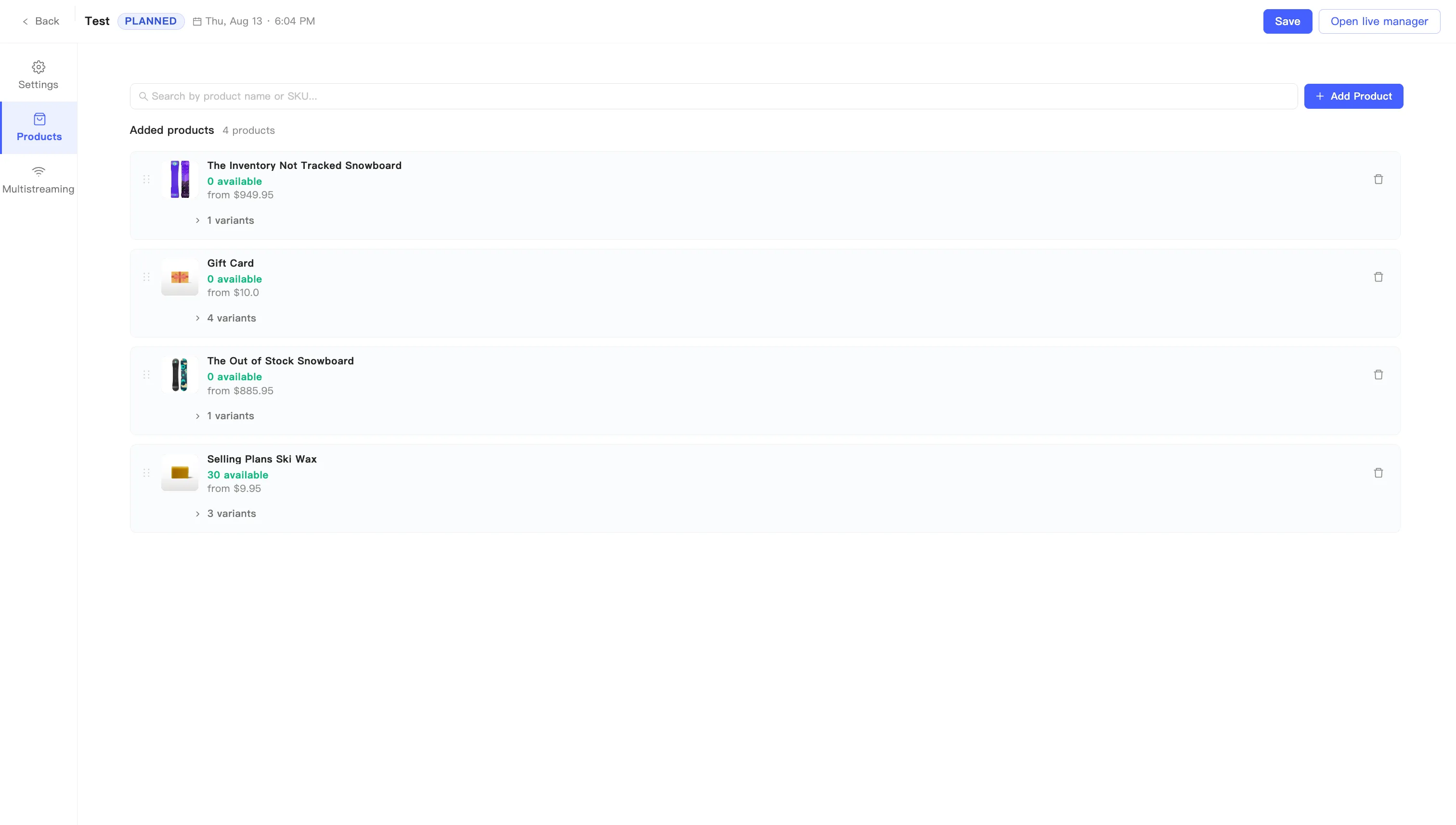
- Open the event editing page and switch to the Products tab.
- Click + Add Product and pick from your store catalog. With a large catalog, search by product name or SKU above the list.
- Everything you pick lands under Added products, with the count on the right.
- Drag the handle on the left of a row to reorder.
- Click Save at the top right.
What a product row shows
Section titled “What a product row shows”Each row carries the product image, name, quantity available, and starting price.
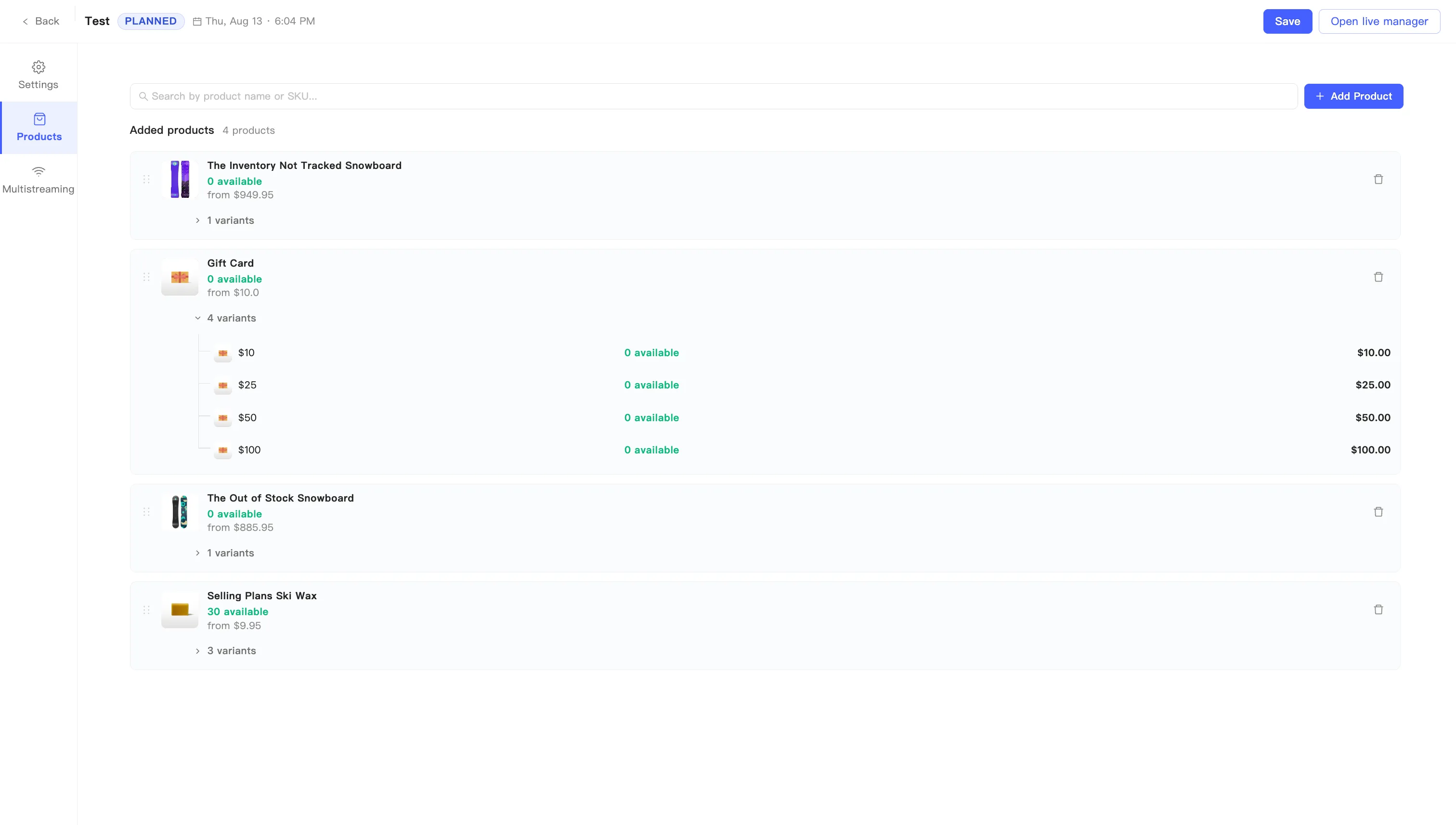
Products with several variants get an expander showing the variant count. Open it to see each variant’s name, stock, and price.
Remove a product
Section titled “Remove a product”Click the delete icon at the end of a row. Remove this product? asks you to confirm, naming the product it takes off the showcase. Confirm with Remove, or back out with Cancel. You can add it again at any time.