

Auto-recharge
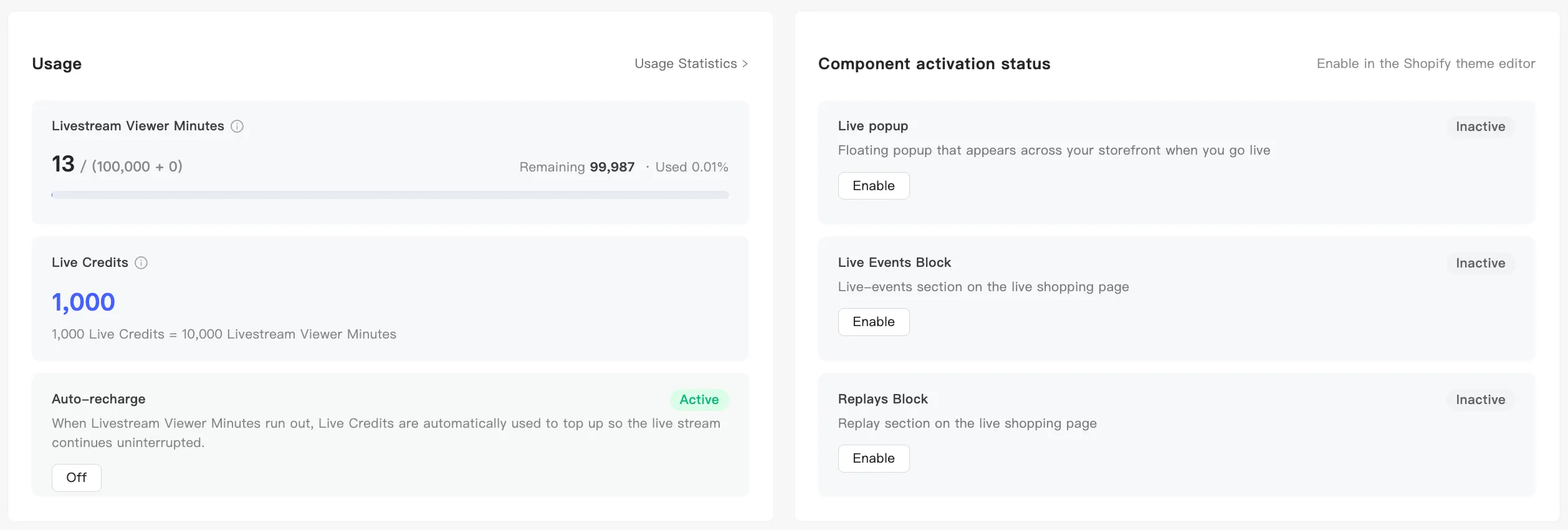
When viewer minutes run out, MaxxShow converts Live Credits into fresh minutes so the broadcast does not stop.
Where the switch is
Section titled “Where the switch is”Two entry points, one switch:
- Home page → the usage card → Auto-recharge
- Analytics → Usage Statistics → the usage block → Auto-recharge
The top right reads Active when it is on and Inactive when it is off. The button below is the action, not the state: it reads Off while auto-recharge is active and On while it is inactive. A confirmation tells you which way it went.
When it fires
Section titled “When it fires”It triggers the moment viewer minutes hit zero, converting at the fixed rate:
1,000 Live Credits = 10,000 Livestream Viewer Minutes
The broadcast carries on.
Each conversion writes a consumption record. See Consumption and top-up records:
- Type — Live Credits
- Purpose — recharging Livestream Viewer Minutes
- Amount — the Live Credits it consumed
With no Live Credits left, the conversion fails. The broadcast then behaves as though your allowance ran out, and ends after the countdown. Auto-recharge on still means watching your Live Credits balance.
Buying Live Credits
Section titled “Buying Live Credits”Buy them under top-up. Shopify stores only for now. See Supported platforms.
Every purchase lands in your top-up records. See Consumption and top-up records.
What happens if you leave it off
Section titled “What happens if you leave it off”Running out of minutes force-stops a test, and ends a live broadcast after the countdown. See Viewer minutes and Live Credits.
Turn it on when your audience size swings, so a peak above your estimate does not cut the broadcast.