

After the stream ends
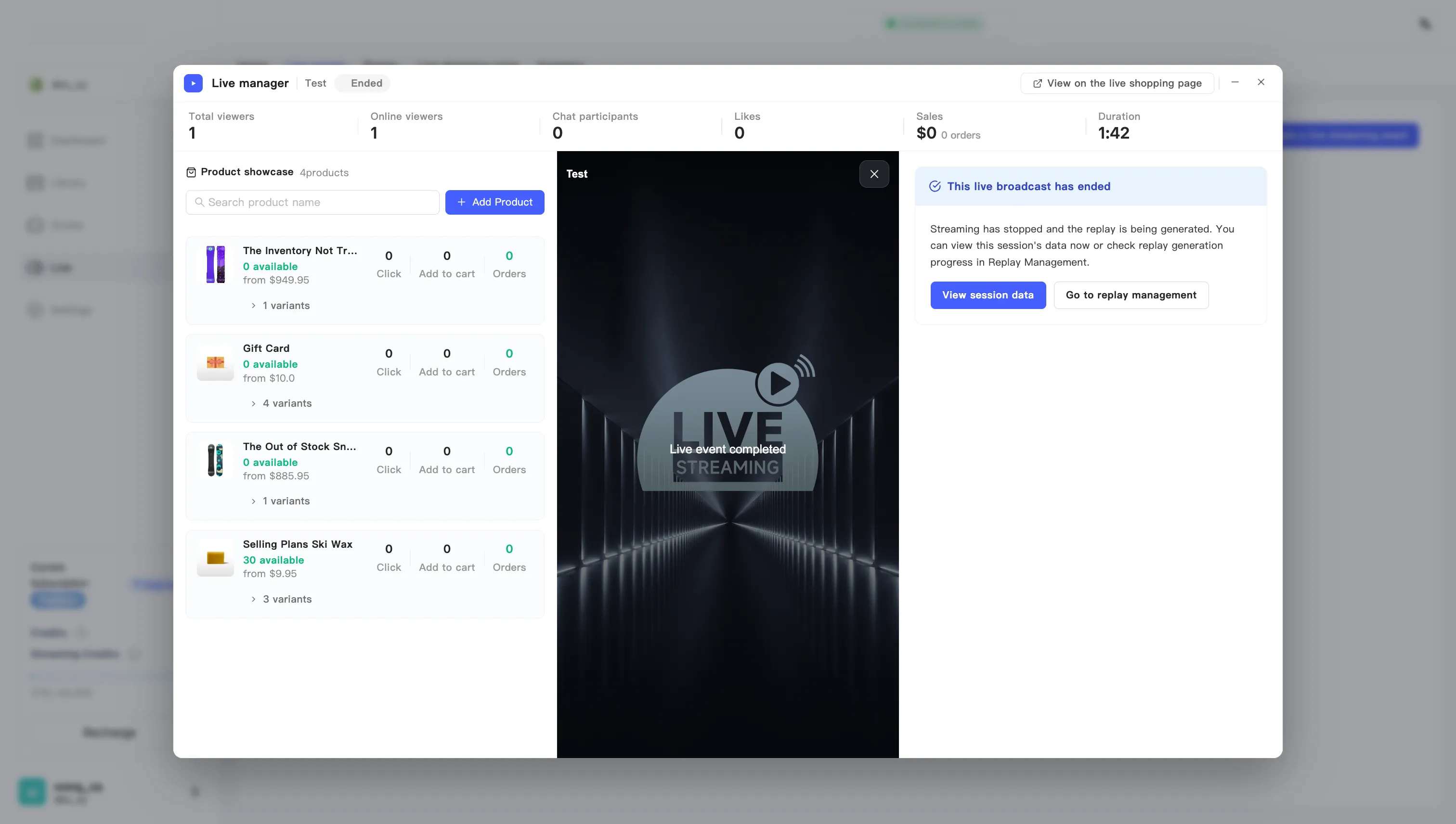
Ending the broadcast stops the stream and turns the session into a replay. The right side of the manager then offers you two places to go.
Ending does not reverse. You cannot restart the same broadcast. Running it again means creating another event.
Two things you can do right away
Section titled “Two things you can do right away”View session data — jumps to analytics for this broadcast: revenue, orders, audience, and how each product did.
Go to replay management — the replay is not ready instantly, because it has to transcode. Check the progress there.
The replay generates itself
Section titled “The replay generates itself”Replay generation starts the moment the broadcast ends. You do nothing.
The replay first appears in the list as transcoding, and publishes itself when that finishes. A finished replay shows on your live shopping page by default, so viewers can keep watching and keep buying.
To keep one private, turn its display off once transcoding completes. See Show or hide a replay.
The product panel becomes a scorecard
Section titled “The product panel becomes a scorecard”Once the broadcast ends, the product panel drops its push buttons. Every row switches to this session’s final numbers: clicks, adds to cart, and orders.
For a fast read on which products landed, this beats the analytics page.